
You know those first few results that pop up when you Google something? The ones that say “Sponsored” or “Ad” in small print? Someone paid to appear there. That is Pay-Per-Click advertising, or PPC, in its simplest form.
If you’ve never run ads before, you’re probably thinking, “Okay, but what’s the deal? How does this actually work?”
PPC is like renting prime digital real estate. You pay to cut the line and put your offer right in front of people who already care about what you’re selling. In most PPC campaigns, you only pay when someone clicks. That is the core magic of digital advertising fundamentals and paid search marketing basics.
Of course, there’s a little more to it than putting money behind an ad and hoping for sales. It’s about showing up for the right people, with the right offer, and sending them somewhere that makes sense once they click.
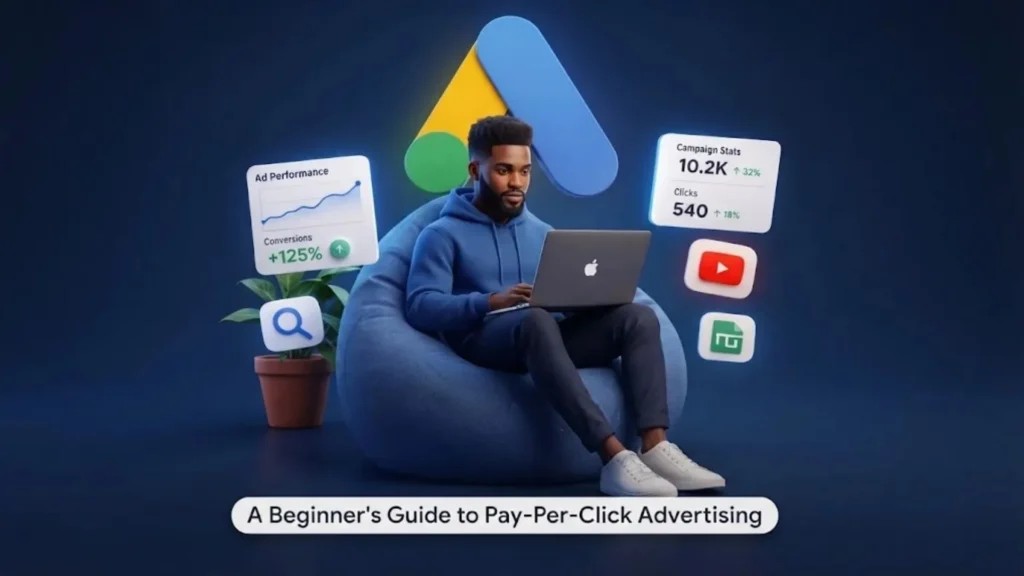
This beginner’s guide to pay-per-click advertising breaks things down for you. It’s designed to help you navigate paid traffic without feeling lost. We’ll cover what PPC advertising is, how it works, the stuff you really need to worry about, how to launch your first PPC campaign, and what to do after you hit “publish.”
What Is PPC and How Does It Work?
PPC Advertising is paying platforms like Google, Facebook, or LinkedIn to display your offer to prospective clients in exchange for an amount of money each time a user clicks on your advertisement. So instead of hoping people stumble onto your site, you’re basically buying visits as long as your budget allows.
To understand how PPC Advertising works, let’s look at the seven key moving parts of the ecosystem:
- Advertiser: That’s you, trying to promote your product or service.
- Platform: Where your ad shows up (Google Ads, Facebook, LinkedIn—take your pick).
- Audience: The people you wish to reach.
- Ad: The thing they see, i.e. text, image, video, whatever sells the message.
- Click: When someone actually taps or clicks on your ad.
- Landing Page: The page users land on after clicking, ideally one that piques their attention.
- Conversion: The action you truly want, be it a phone call, a purchase, or a sign-up.
How Does PPC Auction Work?
You can’t just give Google or another advertising platform money and automatically get the top spot. Most PPC platforms have an auction system when an ad spot opens up. It is an automated auction model that happens in milliseconds. The platform decides who wins based on two big things: your bid (how much you’re willing to pay) and how relevant or useful your ad is to the user. So yes, someone with a better ad can beat you, even if you’re putting down more money.
Now, Google Search Ads and social media ads also work a bit differently. On Google, someone may actively search for “wedding photographer in Lagos”. That search tells you something about what they want right now. On social, like Instagram, someone might see your ad while browsing, even if they weren’t looking for you.
So, Google Search Ads go after search intent (people actively looking for a solution right now), whereas social ads target interests and demographics (people scrolling who might like your product based on who they are). That’s the importance of search intent. Someone actively looking for a solution can be very different from someone who simply fits your target audience.
Why Do Businesses Pay for Clicks?
If “free” traffic exists, why bother paying?
Because paid ads skip the line. You get seen faster and by more people than waiting around for SEO algorithms. Here’s why businesses use PPC advertising:
- Instant visibility: You can show up today without having to wait months to rank on search engines. SEO can take time.
- Reaching people with intent: On search, you can show up exactly when someone’s looking for your offer. Instead of hoping they stumble across you, you intercept them as they search.
- Testing offers: Try out headlines, products, or offers and see what gets people actually clicking. A PPC campaign lets you figure out what your market likes (or doesn’t) in days, not months.
- Generating leads: It’s not just about sales. Maybe you want newsletter sign-ups, phone inquiries, or getting your audience to download something.
- Driving sales: Send serious buyers directly to your product pages. For ecommerce businesses, PPC can send potential buyers directly to products or categories they may be interested in.
- Supporting other marketing channels: PPC isn’t fighting with your SEO or social efforts. It reinforces your whole marketing strategy. It’s not about picking one channel but about making your channels work together.
The Different Types of PPC Advertising
A PPC campaign isn’t limited to Google sponsored results. Different advertising formats serve different purposes. Here are a few of them
Search Ads
Search Ads are primarily text-based ads that appear at the top of search engine results pages when users search for a relevant term. They are excellent for attracting high-intent traffic and individuals who are ready to buy and are actively searching for products or solutions.
Display Ads
Display advertising uses visual advertisements across millions of websites, apps, and videos in a network display. The ad banners might be text, graphics, or rich media and are good for remaining in front of people while they shop, remarketing, and raising awareness.
Shopping Ads
Products are the focus of shopping advertisements. Before they reach your online store, they are advertisements that display your product listings with the price, business name, and even a photo in the search results. Perfect for e-commerce.
Social Media Ads
These kinds of ads are run on social media platforms like Facebook, Instagram, TikTok, and LinkedIn to help you connect with highly targeted consumers by interests, habits, and more. Social media advertisements work well for promoting your content, generating leads, and creating visual products.
Remarketing/Retargeting
If you’ve ever looked at a watch online and then see adverts for the same watch everywhere, that is remarketing. A strong tactic that shows customised adverts to people who have already visited your website or connected with your brand. The idea is to gently coax them back to finish a transaction. You can display advertisements to people who have already engaged with your content or interacted with your business. It targets those who didn’t convert as opposed to just targeting fresh audiences.
The Basic PPC Terms You Need to Know
PPC advertising platforms come with plenty of terminology. You don’t need to memorise everything before launching a campaign, but understanding these basics will make your reports much easier to understand. You should know these essential, beginner-friendly terms
- CPC (Cost-Per-Click): The amount you pay each time a user clicks on your advertisement.
- CPM (Cost-Per-Mille): The price you pay for 1,000 ad impressions.
- CTR (Click-Through Rate): How many people clicked on your advertisement out of all those who viewed it?
- Conversion: Someone doing what you want them to do, such as making a purchase or registering.
- Conversion Rate: The percentage of ad clickers that eventually convert.
- CPA (Cost-Per-Acquisition): The price you spend for each new client or lead.
- ROAS (Return on Ad Spend): The amount of money you made for each dollar you spent on advertisements.
- Impression: The number of times your ad gets shown.
- Quality/Relevance: How useful or relevant your ad is (according to the platform).
How to Choose the Right PPC Platform
There’s no single PPC platform that is automatically right for every business. Start with your customers rather than the platform. Choose your platform based on six key factors:
- Where your audience spends time
- Users’ search intent
- Your Product/service type
- Your Marketing Budget
- The Conversion goal
- Creative requirements
10 Steps to Set Up Your First PPC Campaign
Now, you have the basics. Let’s get you ready to move from theory to practice. Here’s a simple framework for setting up your first PPC campaign.
Step 1 — Define One Clear Goal
Choose a specific focus for your initial campaign. This might include increasing email newsletter signups, selling a certain product, or generating phone enquiries. Don’t start with: “I want more customers.” That’s too broad. Start with smart and clear goals that give you something to measure.
Step 2 — Know Exactly Who You’re Targeting
Be as precise as possible. The better you understand your consumer, the easier it is to create advertising that speaks to them. Think about:
- Location
- Customer needs
- Buying behaviour
- Problems
- Interests
- Search behaviour
- Existing relationship with your business
Step 3 — Decide What You’re Offering
Is it a discount? A free trial? A downloadable resource? Make your offer so clear that people know exactly what you’re promising or asking.
Step 4 — Choose Your Platform
Go where your audience actually is. For most beginners, Google Search or Facebook/Meta Ads is a solid bet. Do not advertise everywhere just because you can. For a first campaign, being focused might help you better understand what’s going on.
Step 5 — Create Your Audience or Keyword List
Search ads need tight keywords. Social ads need well-defined interests. Don’t go too broad. Don’t try to target everyone. You want people who have a reasonable connection to what you’re offering.
Step 6 — Write the Ad
Focus on the advantage, address a real problem, and demand action (e.g., “Shop Our Summer Sale” or “Get Your Free Quote”). Your advertisement should answer a basic question: Why should this individual care? Concentrate on the customer’s problem, intended result, or requirement. Be specific. Instead of: “We provide excellent digital marketing services.” You could say: “Get more qualified leads without wasting your ad budget.” The second statement gives the audience a clearer reason to pay attention.
Step 7 — Build or Choose the Landing Page
Send your ad clicks to a dedicated page that directly matches what your ad promised. Avoid a generic homepage. The ad and landing page should feel like parts of the same experience.
Step 8 — Set Your Budget
Start with a comfortable daily or total test budget that you won’t stress over losing while you learn the ropes because you expect advertising to produce immediate results. Choose a budget you can afford to test without putting unnecessary pressure on the business. Your first campaign is partly about learning.
Step 9 — Set Up Conversion Tracking
Install tracking (such as the Facebook Pixel or Google Tag) to see who takes action and where they drop off. Without conversion monitoring, you may only know that consumers clicked your advertisements but not if they generated business value.
Step 10 — Launch and Monitor
Hit publish, allow your campaign some time to run, and then check back in to see how it’s doing without making any last-minute changes. You need enough time to collect useful information, while monitoring for obvious problems. Then start improving.
What Should Your First PPC Campaign Budget Look Like?
There’s no universal “correct” PPC budget. Set a budget based on:
- Customer value (lifetime or margin)
- Expected conversion rates (usually 2–5%)
- Platform costs (average click prices)
- Enough budget for testing (50–100 clicks)
- How much traffic you need to spot patterns
For example, a business selling a ₦10,000 product and a business selling a ₦2 million service cannot approach PPC budgeting in the same way.
PPC Advertising Is Not “Pay and Get Customers.” It’s Pay, Test, Learn and Improve.
One of the biggest misconceptions about PPC is that advertising works like a vending machine, i.e., put money in, get customers out. It is not a machine that spits out guaranteed cash on demand. It is a systematic marketing engine that can be measured.
PPC advertising is better understood as a measurable marketing system. You invest money to reach a specific audience. You observe how they respond. You identify what works and what doesn’t. Then you use that information to make better decisions. Every campaign teaches you something. Sometimes your ad is wrong, sometimes your audience, sometimes your landing page isn’t working, and sometimes people just aren’t ready to buy today. Launching the campaign isn’t the finish line. It’s the beginning of the learning process. Start by analysing the results. Once your initial test data rolls in, review it objectively:
- Check which keywords or ads got the most clicks.
- See where users stopped engaging
- Make a couple of small changes based on real data
- Run another test. Keep learning.
The value of PPC advertising is in the feedback; when tracked right, you learn what’s working and what’s not. Start small, make every ad spend count, and keep raising your game.
Ready to Grow With Paid Traffic?
Getting people to click is only the beginning. The whole point is to turn that attention into real business growth.
You don’t have to guess your way through PPC advertising. If you want a smarter, more strategic approach, reach out to Root & Rank Digital. We help brands set up digital marketing systems that connect with the right people through ads, SEO, content, websites, ecommerce…the works.
Not sure where your ad dollars are going? Wondering what’s working and what’s not? Let’s build a solid PPC strategy together, one that actually makes sense for your business. Contact Root & Rank Digital today.
